
Dance AI: AI Dance Video Maker
DeePix AI AppsPhotography
4.31.28K Reviews
- Version
- 1.1.2
- Installs
- 500.00K
- Age Rating
- Teen
Screenshots
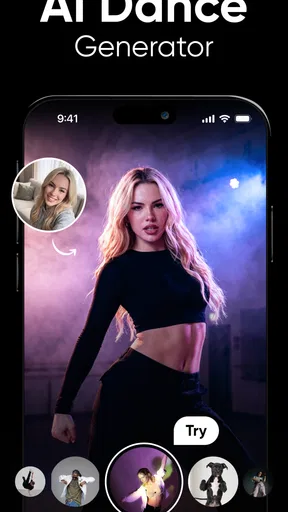
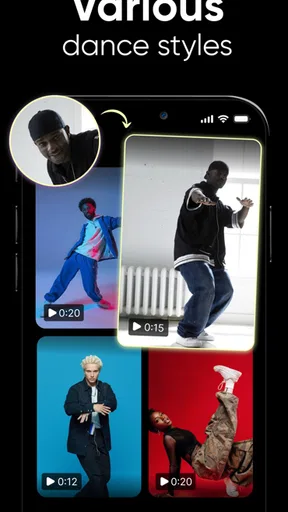
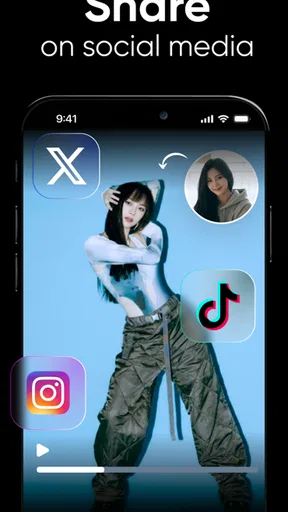
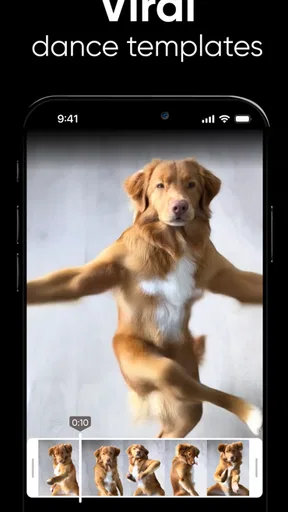
Our Review of Dance AI: AI Dance Video Maker
 Analysis by Appyee
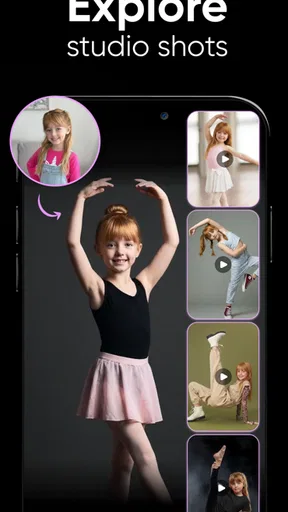
I’d start with one practical question before installing Dance AI: AI Dance Video Maker: do you want to make a playful, AI-generated dance clip from a photo, or are you looking for a tool to record and improve your own dancing? The distinction matters. This is a photography app from DeePix AI Apps, and its central idea is turning an uploaded photo into a dance video. That makes it more of a creative effect for sharing and experimenting than a traditional dance-training app.
That photo-first approach changes how I’d use it. You don’t need to film a routine, find a clear space, or feel ready to perform in front of a camera. Instead, the starting point is an image, so the result is about seeing a still portrait transformed into movement. It’s a lighthearted format for a group chat, a birthday greeting, or a social post when you want something more surprising than a standard photo edit.
What the current release tells me
The app is currently at version 1.0.4, and its release date is January 31, 2026. Those facts give a useful snapshot of its early stage, but they don’t establish a history of major upgrades or tell me what the developer may add next. I’d treat it as a young creative tool: worth exploring if the core effect appeals to you, while keeping expectations measured about polish and long-term feature depth.
Its audience numbers offer some context without settling the question of quality. Dance AI has a 4.5 average from 608 ratings, alongside 165 written reviews and more than 50,000 installs. That suggests real interest, but an AI result is personal: the same effect can feel hilarious to one person and unnatural to another. I’d judge it by trying a photo that is suitable for the task, rather than assuming popularity guarantees the exact look I want.
Choosing a photo is part of the workflow
For this kind of photo-based generation, I’d begin with a clear, well-lit image where the person is easy to distinguish from the background. A front-facing pose with the whole body visible is a sensible starting point, especially if you want the resulting movement to read clearly. A tight headshot, a group photo, or an image with arms and legs hidden behind objects gives the system less visual information to work with, so I’d save those for playful experiments rather than a clip I plan to share widely.
I’d also think about consent before uploading someone else’s face. A friend may love a silly dance edit, but that doesn’t mean they want their image transformed or posted. For a private joke, ask first; for a public post, be especially careful. That small courtesy matters more with a tool that makes an ordinary portrait appear to do something its subject never actually did.
How it fits beside other creative apps
Compared with a conventional video editor, the appeal here is speed and novelty: the premise begins with a photo rather than asking you to shoot, trim, and arrange footage. A general photo editor is better when you mainly want to retouch or compose a still image, while a manual video editor gives you more direct control over timing, cuts, and soundtrack choices. Dance AI makes the most sense when the transformation itself is the point and you’re happy to trade some hands-on control for an AI-made result.
That also means it isn’t the option I’d choose to learn choreography or get detailed coaching. The app’s actual premise is photo-to-dance generation, not a documented system for evaluating a person’s live technique. If your goal is to practice steps, record your own movement, or receive structured instruction, a dedicated dance lesson or recording app is a better fit. Keeping that distinction in mind avoids expecting a playful visual effect to behave like a tutor.
Getting Started with Dance AI
First off, let me tell you how easy it was to dive into this app. The download and installation process was smooth sailing. Once you open the app, you’re greeted with a sleek, user-friendly interface. Everything is laid out so intuitively that even if you’re not the most tech-savvy person, you’ll navigate it like a pro.
The app offers a variety of pre-set dance styles, which means you have a buffet of choices depending on what mood you’re in. Whether you're feeling like busting out some hip-hop moves or going for a classic ballet routine, Dance AI has got you covered.
The Magic of AI in Dance
Now, here’s where things get really interesting. The app uses AI technology to help you create stunning dance videos. I was a bit skeptical at first. I mean, how could AI possibly understand the nuances of dance? But let me tell you, it’s like having a personal choreographer in your pocket.
All you need to do is upload a video of your dance, and the AI analyzes it, suggesting improvements and synchronizing your moves with the music. It’s like having a dance coach who never gets tired or judges you for your two left feet. The AI even offers tips on how to enhance your performance, which is great for someone like me who’s always looking to up their dance game.
Features That Make You Dance
Let’s talk features. One of the standout features is the ability to add special effects to your videos. From slow-motion sequences to animated backgrounds, the app has a plethora of effects that can make your video pop. It's like adding a sprinkle of magic to your dance routine.
Another cool feature is the community aspect. You can share your creations with other users, get feedback, and even collaborate on dance routines. It’s a fantastic way to connect with fellow dancers and learn new styles.
Making a clip that feels right for sharing
A useful way to approach the app is to decide on the audience before choosing the source image. For a private laugh, an intentionally odd or exaggerated portrait can be part of the joke. For a family group chat, I’d pick a flattering, recognizable photo and a style that suits the person rather than choosing the most outrageous option. Thinking about where the clip will go first helps avoid making a result that is technically entertaining but awkward to send.
If I were making a birthday greeting, I’d choose a single person who has agreed to be included, use a clean portrait, and keep the message short enough that the dance effect remains the focus. For a social post, I’d check the clip from beginning to end before publishing: does the face remain recognizable, does the movement look amusing rather than unsettling, and does the image reveal anything the subject would rather keep private? Those checks take little effort and can make the difference between a fun edit and an uncomfortable surprise.
Small decisions that can improve the result
I wouldn’t treat the first generated version as automatically share-ready. A better workflow is to test with a photo you don’t mind experimenting on, compare a couple of different source images, and keep the one that produces the clearest visual result. If a person’s body is cropped or obscured, switching to a more complete image is more useful than repeatedly asking the same photo to do a difficult job. This is a practical trade-off: the output depends partly on the material you bring in, not only on the effect you select.
It also helps to separate “funny” from “convincing.” AI movement can be entertaining even when it doesn’t look physically natural, and that may be exactly what you want for a joke. If your aim is a polished, realistic performance, you may be less forgiving of odd transitions or movement that doesn’t match the person’s pose. I’d set the bar according to the purpose of the clip instead of expecting every result to pass as real footage.
Cost, access, and who should try it
The app is free to install, with in-app purchases ranging from $6.99 to $79.99 per item. I’d explore the free experience before paying for anything and make sure the effect is something I expect to use more than once. A one-off birthday gag may not justify a purchase for everyone, while someone who regularly makes playful photo edits might value having the option. Before confirming a transaction, I’d read the purchase details in the app carefully so I know what I’m choosing.
Its Teen content rating is another reason to think about the images being used and shared, especially if younger people are involved. A teen rating doesn’t remove the need for good judgment around other people’s photos. I’d recommend the app to someone who enjoys AI transformations, understands that results can be variable, and is comfortable checking an image before sharing it. I’d skip it if I wanted precise editing controls, a dependable dance-learning plan, or a tool built mainly for professional video production.
For someone who already has a folder of portraits and likes trying visual effects, the photo-based premise can be a low-effort way to make a clip feel personal. For someone who dislikes uploading photos to creative apps or doesn’t want an AI system to reinterpret faces and bodies, the basic concept may be a reason to pass, regardless of how amusing the result could be. That’s a preference worth deciding before installation rather than after preparing an image.
What I’d watch as it develops
Version 1.0.4 gives existing users a clear marker for the app’s current state, but I wouldn’t infer specific improvements from a version number alone. If the app changes over time, the details I’d care about most are whether photo-to-video results become more dependable, whether users get meaningful choices over the finished clip, and whether the experience remains straightforward for casual use. Those are expectations to watch, not claims about features already present.
I’d also pay attention to how clearly the app explains its purchase choices and how easy it is to decide what happens to a generated video before sharing it. For a photo-driven tool, control and clarity matter as much as novelty. Existing users who already enjoy making these clips can keep using the workflow that suits them; anyone considering a purchase should make that decision based on what they can actually access now, rather than on hoped-for future additions.
Why Dance AI Stands Out
In a world filled with dance apps, Dance AI: AI Dance Video Maker stands out for its innovative use of AI technology and its comprehensive feature set. It's not just about recording a dance video; it's about creating a masterpiece. The app transforms the way you look at dance by making it more accessible and interactive.
What I love most is how it caters to all levels of dancers. Whether you’re a beginner looking to learn the basics or an advanced dancer aiming to polish your routine, the app has something for everyone. Plus, the community aspect adds a layer of motivation and inspiration that keeps you coming back for more.
Final Thoughts
So, is Dance AI: AI Dance Video Maker worth your time? Absolutely! It’s a fun, engaging, and innovative app that brings a fresh perspective to creating dance videos. It’s perfect for anyone looking to explore their creative side or just have some fun with friends. Plus, who knows? Your next dance video might just be the next big thing on social media!
If you’re curious and want to give it a try, you can find the download links on our site. Trust me, you won’t want to miss out on what this app has to offer. Happy dancing!
Verdict
Strengths of Dance AI: AI Dance Video Maker
- Easy-to-use interface for quick edits.
- Wide range of dance styles to choose from.
- High-quality video output options.
- Integrates well with social media platforms.
- Regular updates with new features.
Limitations of Dance AI: AI Dance Video Maker
- Limited free features; subscription required.
- Occasional glitches during video rendering.
- Requires internet for best functionality.
- Not suitable for professional editing needs.
- In-app ads can be intrusive at times.
Other Releases by DeePix AI Apps
View All
Shots - AI Photo & Video Maker
Photography4.7
Similar Picks in This Category
View All
Google Photos
Google LLC4.4

Gallery
Google LLC4.2

Picsart AI Photo Editor, Video
PicsArt, Inc.3.9

B612 AI Photo&Video Editor
SNOW Corporation4.1

BeautyPlus-Selfie Photo Editor
PIXOCIAL TECHNOLOGY (SINGAPORE) PTE. LTD.4.5

Remini - AI Photo Enhancer
Bending Spoons4.1
Frequently Asked Questions
What is Dance AI: AI Dance Video Maker?
Dance AI: AI Dance Video Maker is a creative app that allows users to generate dance videos using AI technology. By uploading a video or selecting a dance style, the app applies AI-driven choreography to create unique dance performances. It’s perfect for those looking to explore dance or enhance their social media content.
How does Dance AI use AI technology in creating dance videos?
Dance AI utilizes advanced AI algorithms to analyze and generate dance moves that sync with your selected music or video input. The AI processes the rhythm and style, creating choreography that matches the mood and beat, providing users with a seamless and creative dance experience.
Is Dance AI suitable for beginners with no dance experience?
Yes, Dance AI is designed to be user-friendly and accessible for everyone, regardless of dance experience. The app offers a variety of dance styles and intuitive features that allow users to enjoy creating dance videos without any prior knowledge or skill in dancing.
What features does Dance AI offer to enhance user experience?
Dance AI offers features such as customizable dance styles, music library integration, and video editing tools. Users can tweak choreography, add effects, and select from a vast array of dance styles to personalize their videos. Additionally, the app supports sharing directly to social media platforms.
Are there any in-app purchases or subscriptions required for Dance AI?
Dance AI offers both free and premium versions. The free version includes basic features, while the premium subscription unlocks advanced tools, additional dance styles, and ad-free experience. Users can choose to subscribe monthly or annually, depending on their needs and usage.
